
Picture this: a surgeon is midway through a laparoscopic gallbladder removal when the image on the monitor blurs just enough to make a tiny blood vessel indistinguishable from surrounding tissue. It’s a split-second problem, but in surgery, split seconds matter. This is exactly why the camera system behind a laparoscope isn’t just “equipment” — it’s the surgeon’s eyes.
If you’re a hospital administrator, a procurement officer, or a surgeon researching an upgrade, you’ve probably already heard the buzz around 4K laparoscopy camera systems. But between technical specs, vendor claims, and budget constraints, choosing the right one can feel overwhelming. This guide breaks it all down in plain language — no engineering degree required.
What is a 4K Laparoscopy Camera System, Really?
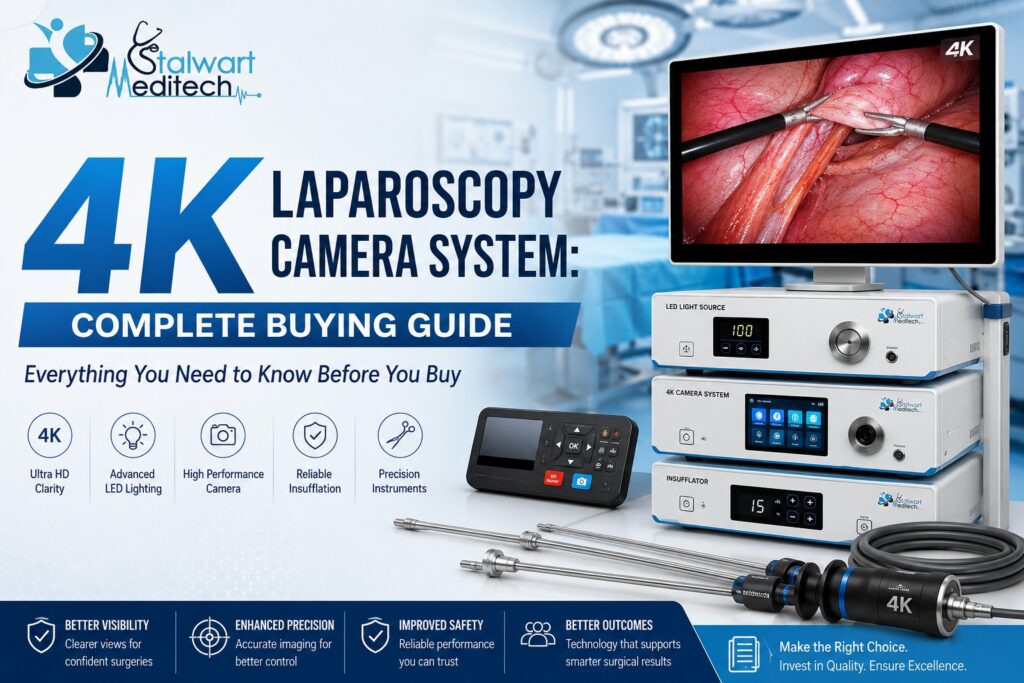
In simple terms, a 4K laparoscopy camera system is the imaging setup that captures and displays what’s happening inside a patient’s body during minimally invasive surgery. It typically includes a camera head, a light source, a video processor, and a high-resolution monitor — all working together to give surgeons a sharp, magnified, real-time view through a tiny incision.
The “4K” refers to resolution — roughly four times the detail of standard Full HD (1080p). That means finer tissue differentiation, better depth perception, and less eye strain during long procedures. Think of it like the difference between watching a football match on an old tube TV versus a modern ultra-HD screen — you notice details you never even knew you were missing.
As part of the broader category of laparoscopy equipment, the camera system works hand-in-hand with other laparoscopy instruments — trocars, graspers, scissors, and energy devices — to make minimally invasive surgery safer and more precise.
Why 4K Matters in the Operating Room
You might wonder — does resolution really change patient outcomes? The honest answer is: indirectly, yes. Better visualization helps surgeons identify anatomical structures faster, reduces the risk of accidental tissue damage, and can shorten operating time. For teaching hospitals, it also means residents and students can see procedures more clearly on secondary monitors, which improves training quality.
HD vs 4K vs 3D — Quick Comparison
| Feature | Full HD (1080p) | 4K UHD | 3D HD |
| Resolution | 1920 x 1080 | 3840 x 2160 | 1920 x 1080 (dual lens) |
| Depth Perception | Limited | Improved via detail cues | Excellent (true 3D) |
| Eye Strain (long surgery) | Moderate | Low | Can be higher with glasses |
| Typical Cost | Lower | Moderate to High | High |
| Best Suited For | Budget-conscious setups | General & advanced laparoscopy | Complex reconstructive surgery |
Note: 4K systems currently offer the best balance of image clarity, usability, and cost for most surgical departments.
Key Features to Look For
Not all 4K systems are built the same. Here’s what actually matters when you’re comparing options:
- Sensor quality: A good CMOS sensor affects color accuracy and low-light performance far more than the resolution number alone.
- Light source compatibility: LED light sources tend to run cooler and last longer than traditional xenon lamps.
- Camera head design: Lightweight, autoclavable heads reduce surgeon fatigue and simplify sterilization.
- Image processing software: Features like haze reduction, smoke evacuation enhancement, and auto white balance make a real difference during live procedures.
- Connectivity: Look for HDMI/DVI/3G-SDI outputs so the system integrates smoothly with existing OR displays and recording units.
- Documentation tools: Built-in image and video capture help with case documentation, training, and insurance records.
Feature vs Benefit Breakdown
| Feature | Why It Matters |
| 4K Sensor | Sharper tissue detail, fewer missed anomalies |
| LED Light Source | Longer bulb life, consistent color rendering |
| Autoclavable Camera Head | Faster turnaround between surgeries, better infection control |
| Image Enhancement Software | Clearer view even in smoky or bloody surgical fields |
| Multi-Port Connectivity | Easy integration with existing OR infrastructure |
Use this table as a quick checklist when comparing vendor spec sheets side by side.
Step-by-Step: How to Choose the Right System
Buying a camera system isn’t a one-click decision. Here’s a practical process to follow:
Buying Process at a Glance
| Step | What to Do |
| 1. Assess Needs | Identify surgical specialties and case volume the system must support |
| 2. Set a Budget Range | Include installation, training, and maintenance — not just unit price |
| 3. Shortlist Vendors | Compare specs, warranty terms, and after-sales support |
| 4. Request a Live Demo | See actual image quality on your existing monitors, not brochures |
| 5. Check Compatibility | Confirm it works with your existing laparoscopy instruments and OR setup |
| 6. Negotiate Service Terms | Confirm response time for repairs and availability of spare parts |
| 7. Train Your Team | Schedule hands-on training for OR staff before go-live |
Following this sequence helps avoid rushed decisions that lead to buyer’s remorse later.
Tips & Best Practices
- Always test the camera under actual OR lighting conditions, not showroom lighting.
- Ask for reference sites — hospitals already using the system — and talk to their biomedical engineering team.
- Prioritize systems with modular upgrades so you’re not forced into a full replacement every few years.
- Factor in staff training time; even the best system underperforms in untrained hands.
- Check local service center availability before purchase — downtime during a repair delay can be costly.
Common Mistakes to Avoid
Do’s and Don’ts
| Do | Don’t |
| Compare total cost of ownership, not just the sticker price | Focus only on resolution numbers |
| Verify compatibility with existing laparoscopy equipment | Assume every camera fits every monitor or tower |
| Ask about warranty and service response times | Skip the fine print on maintenance contracts |
| Involve the surgical team in the decision | Let procurement decide in isolation |
| Budget for staff training | Treat installation as “plug and play” |
Most buyer regret stems from skipping compatibility checks and underestimating training needs — this table helps you sidestep both.
Frequently Asked Questions
1. Is a 4K laparoscopy camera system worth the extra investment over HD?
For most surgical departments handling moderate to high case volumes, yes. The improved clarity supports better decision-making and reduces long-term eye fatigue for surgeons.
2. Can a 4K camera system work with my existing laparoscopy instruments?
In most cases, yes, as long as the connectors and light cable standards match. It’s still best to confirm compatibility with the manufacturer before purchase.
3. How long does a 4K laparoscopy camera system typically last?
With proper maintenance, a well-built system can serve a facility for 7 to 10 years before major upgrades are needed.
4. Do I need a 4K monitor to use a 4K camera system?
Yes. To see the full benefit of 4K resolution, your display, cables, and video processor all need to support 4K output end-to-end.
5. What’s the difference between 4K and 3D laparoscopy cameras?
4K improves image sharpness and detail, while 3D adds true depth perception through dual-lens technology. Some advanced procedures benefit more from 3D, while general laparoscopy usually does well with 4K alone.
6. How do I maintain a laparoscopy camera system properly?
Follow manufacturer sterilization guidelines strictly, avoid dropping or bending the camera cable, and schedule periodic calibration checks with your biomedical team.
Final Thoughts
Choosing the right 4K laparoscopy camera system isn’t just about chasing the latest specs — it’s about matching the technology to your surgical team’s real needs, your facility’s budget, and your long-term service expectations. A thoughtful decision today can mean smoother surgeries, better training outcomes, and fewer headaches down the road.
At Stalwart Meditech, we work closely with hospitals and surgical centers to help them navigate exactly this kind of decision — from selecting the right laparoscopy equipment to ensuring seamless integration with existing laparoscopy instruments. If you’re exploring an upgrade, we’d be glad to walk you through your options and help you find a system that truly fits your operating room.
Visit: https://stalwartmeditech.com/contact-us/
Call: +91-9999012763, 9718784245
Email: stalwartmeditechindia@gmail.com
Address: Plot No. A-10, Second Floor, Patparganj Industrial Area, Delhi-92,
Address -: 4/2544, Street No.-11, Main Road, Govardhan Behari Colony, Shahdra, Delhi-32